3-4 Minute Read
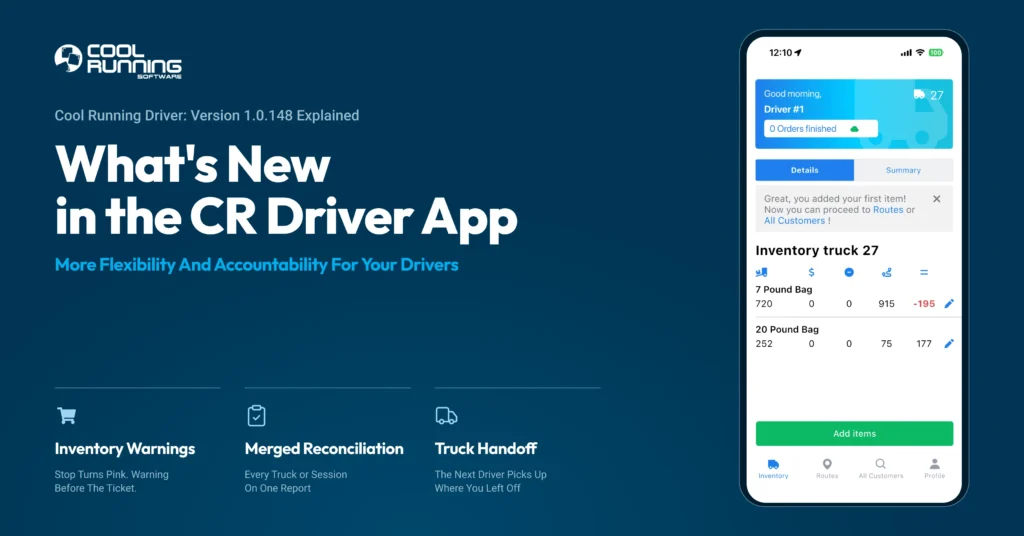
Table of Contents
Click on any section of this table of contents to quickly navigate to that area of the blog post.
CR Driver App v1.0.148 Explained
Version 1.0.148 of the Cool Running Driver App gives drivers more flexibility and greater accountability on the route. When a preorder can no longer be covered by what is on the truck, the driver knows before it becomes a problem. Drivers who run more than one truck in a day can now print everything on one report. And when drivers switch trucks, the inventory stays put.
For companies that set predetermined order quantities on their routes before drivers leave the plant, this update is especially powerful.
This update is built around the reality of how ice delivery actually works: routes change, drivers switch trucks, and the difference between a good day and a bad one is often just having the right information at the right time.
Update your CR Driver App now in the IOS App Store or Google Play Store to start using these improvements.
What's New in Version 1.0.148?
Video Walkthrough
Tony walks through all three new features on a live demo route, from loading the truck to printing the final reconciliation report.
Inventory Warnings
Every ice company has had this happen. A driver loads extra bags, sells more than he should at stop three, and shows up short at a preordered stop later in the route. The ice was on the truck. It just was not his to sell.
Now there are two things that stop that from happening.
When a preorder can no longer be covered by what is on the truck, that stop turns pink on the driver’s handheld automatically.
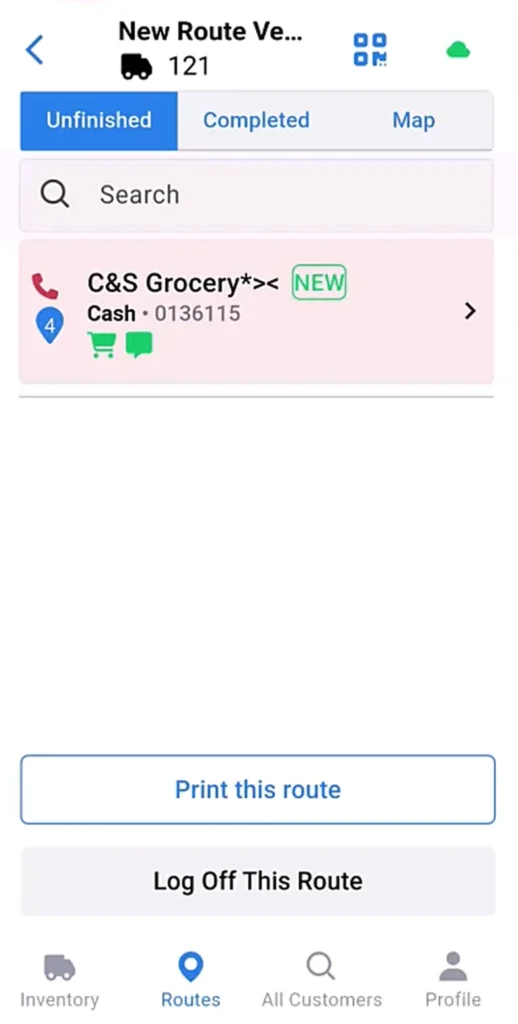
If the driver tries to make a sale that would short a preordered stop further down the route, the app warns him before the receipt goes through and shows exactly how many bags he will be short.
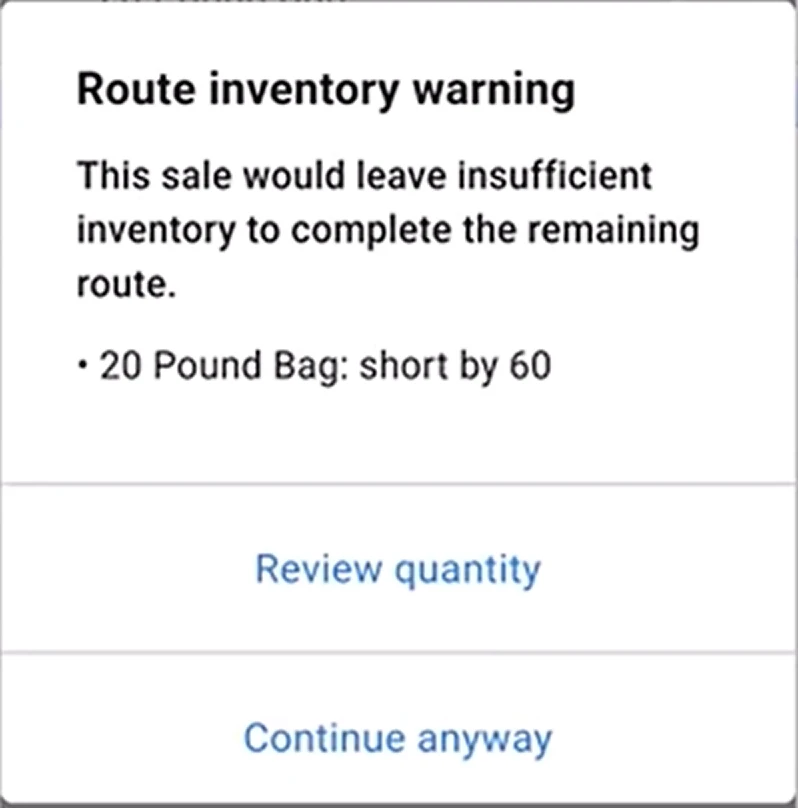
This feature is built for companies that run committed order quantities on their routes. If your drivers are delivering to stops that have specific amounts set before the truck leaves the plant, the app now makes sure those orders are protected. Craft and specialty ice companies, where products are made to order and cannot be replaced same day, will find this especially valuable.
Merged Reconciliation
A lot of ice companies run the same driver on more than one truck in a day. Until now, switching trucks wiped the first reconciliation report.
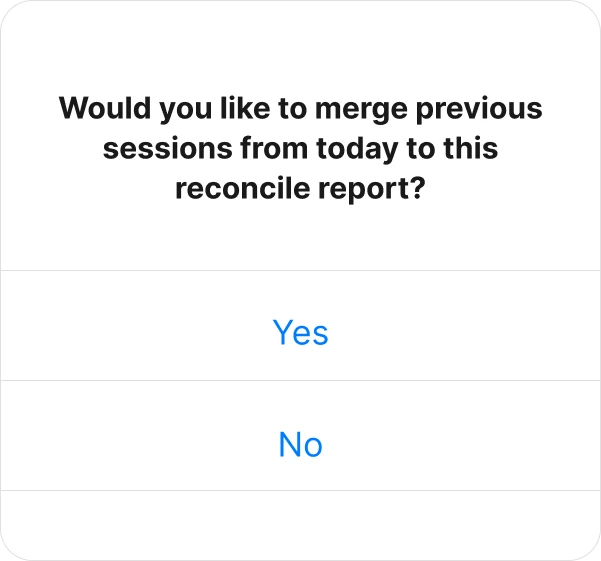
When a driver logs out, the app now asks whether to merge the earlier sessions into the final report. He picks which sessions to include and everything prints on one sheet. Every truck, every stop, loaded and sold, broken out by session and totaled together at the bottom.
Truck Handoff
When a driver logs out of the truck, the app now asks whether to clear the truck inventory or leave it. If another driver is taking the same truck out later that day, the inventory stays right where it is. No keying it back in, no starting from scratch.
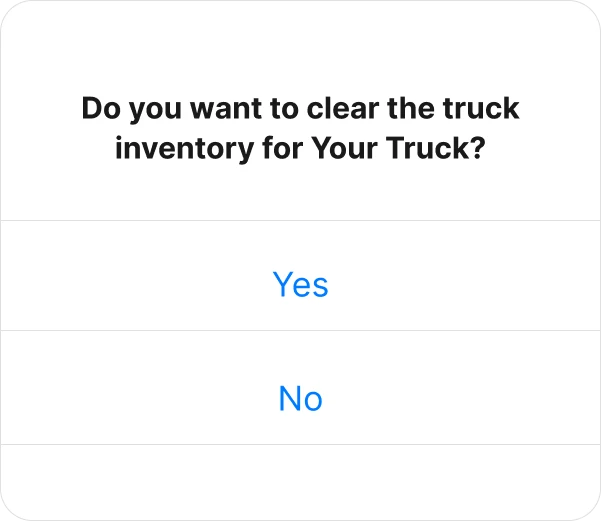
Inventory never carries over to the next day. It holds for that day only.
How to Get Version 1.0.148
Make sure your drivers are using the latest version to take advantage of these new tools and fixes.
Update the CR Driver App now through the IOS App Store or Google Play Store.
This update will be required soon, so updating now helps avoid any interruptions during deliveries.
Start Using The New Update
For Current Users:
Update your CR Driver App today to version 1.0.148. If you have any questions, call 440.343.1744 or email iceguy@coolrunningsoftware.com and we are ready to help.
For Those Without CRS:
Cool Running Software makes it simple for ice companies to manage deliveries, track assets, and keep routes running smoothly with fewer headaches. Schedule a demo to see how CRS can support your business and your drivers, every day.
Frequently Asked Questions
If a driver tries to make a sale that would short a preordered stop further down the route, that stop turns pink on the handheld and the app warns the driver before the receipt goes through. It shows exactly how many bags short they will be.
Inventory warnings are designed for routes with committed order quantities set before the driver leaves the plant. If your routes do not use preorders, the pink stop and warning features will not apply, but merged reconciliation and truck handoff work for every company.
Yes. The office can check the inventory on any truck at any time during the day.
Yes. When the driver logs out, the app asks whether to merge previous sessions from that day into the final report. The driver picks which sessions to include and everything prints on one sheet.
Update the CR Driver App through the iOS App Store or Google Play. Once updated, the new features are available immediately.