CR Driver Version 1.0.124 Explained
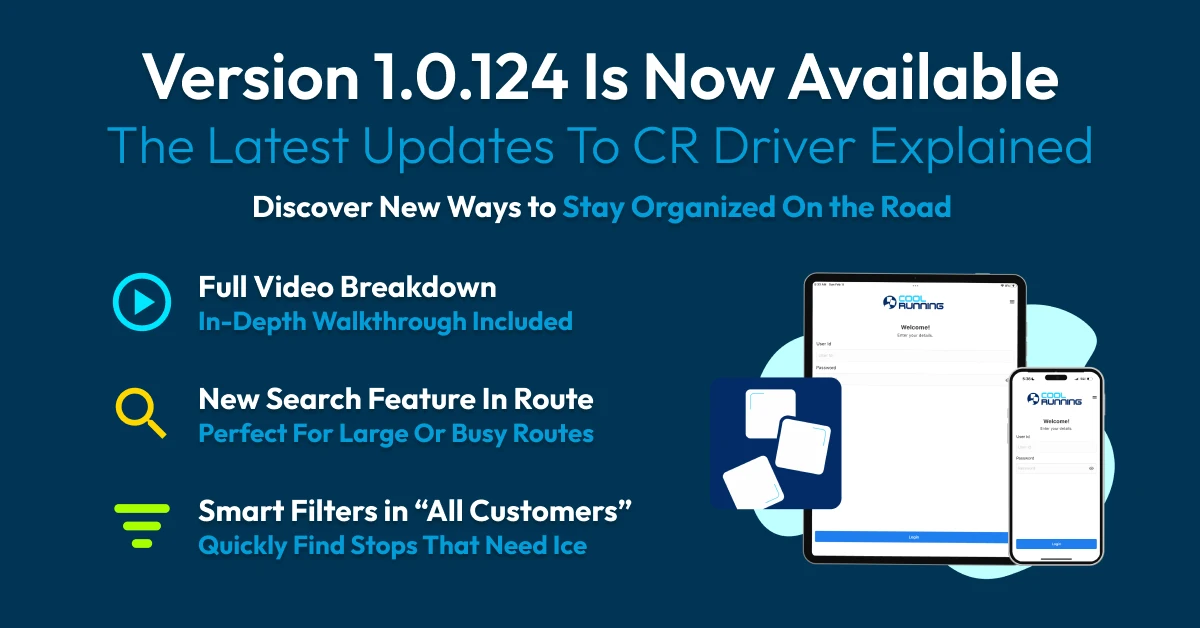
Version 1.0.124 of the CR Driver App focuses on making daily routes easier for drivers. This update fixes a surcharge issue and adds improvements that help drivers find stops faster and filter customer lists more clearly.
The new search tools and smart filters aim to help drivers find stops faster, check which locations need ice or have pending orders, stay organized on busy days, and spend less time scrolling through long customer lists.
These tools are especially helpful for smaller ice companies and for customers who do not use the RouteBuilder module, giving drivers an easy way to manage stops and orders without dispatching and planning setup.
Update your CR Driver App now in the IOS App Store or Google Play Store to start using these improvements.
What’s New in Version 1.0.124?
Bug Fix (Surcharge Issue)
Edited surcharges now save correctly on orders and are reflected in CR Driver. This ensures drivers and office staff always have the right charges, avoiding billing mistakes and extra calls.
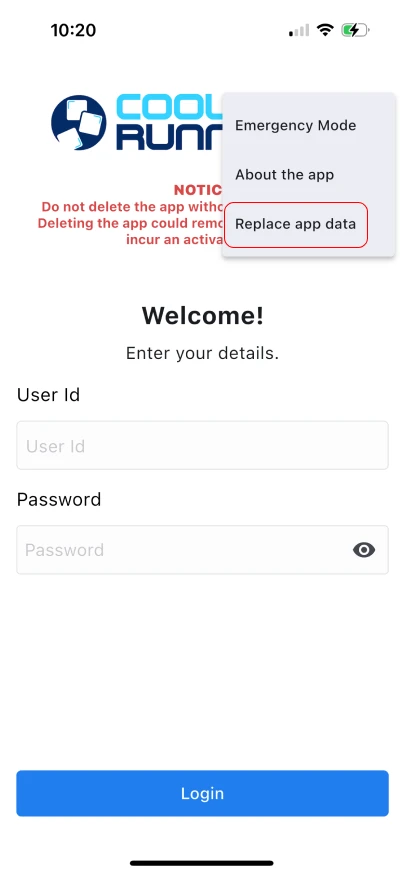
Replace App Data Tool
Drivers can now clear app data directly inside the app, without deleting or reinstalling. This makes troubleshooting fast and avoids downtime in the field. This feature is designed to cut down the amount of drivers who delete and redownload the app hoping to reload the app’s data.
DO NOT DELETE YOUR CR DRIVER APP
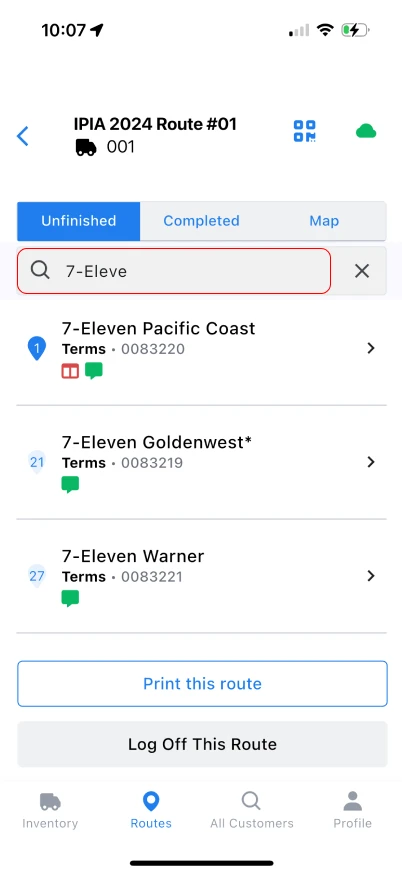
Search Tool for Routes
Finding a specific stop in a long route can slow a driver down, especially during busy days or when working in unfamiliar areas. The new search tool lets drivers type in a stop name and jump straight to it on their list. This means less time scanning through dozens of stops and more time staying on schedule.
This simple addition helps drivers handle large routes more confidently and reduces missed stops or wasted minutes looking for the right customer.
Smart Filters in All Customers
The All Customers list now includes new filters that give drivers better control and visibility:
- Sensors: Drivers can quickly see which locations have sensors and sort by the lowest reading first, so they know exactly where ice is needed most.
- Pending Orders: Drivers can filter to see only locations with pending orders, making it easy to double-check which stops still need service.
- Delivery Zone: Drivers can filter stops by delivery zone, which is especially helpful for companies that do not use the RouteBuilder module but still want to organize work by areas or local routes.
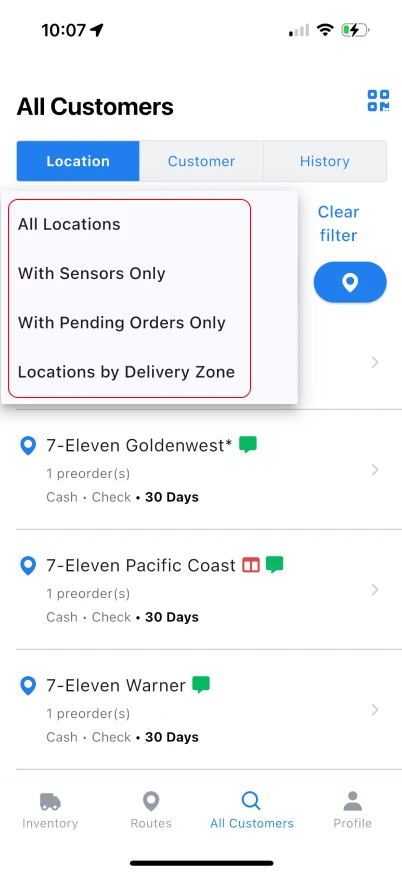
These filters save drivers time, cut down on calls back to the office, and help smaller operations or companies without advanced routing keep field work organized and accurate.
How to Get Version 1.0.124
Make sure your drivers are using the latest version to take advantage of these new tools and fixes.
Update the CR Driver App now through the IOS App Store or Google Play Store.
This update will be required soon, so updating now helps avoid any interruptions during deliveries.
Coming Soon: Using CRS Without RouteBuilder
Not every company uses the RouteBuilder module or runs dispatching from an office. Many smaller operations rely on the All Customers list and in-app tools to handle stops as they come in.
Our upcoming blog and video will show how to make the most of the new filters, pending order views, and delivery zone sorting. Drivers can easily see which locations need ice or have open orders and handle them directly in the field — without needing a planned route pushed from the office.
Stay tuned for practical tips on using CRS as a flexible tool for smaller companies or crews who manage work directly through the app.
Start Taking Advantage of The New Updates
For Current Users:
Update your CR Driver App today to Version 1.24 to start using the new search tools, smart filters, and other improvements. If you have any questions, we are ready to help.
For Those Without CRS:
Cool Running Software makes it simple for ice companies to manage deliveries, track assets, and keep routes running smoothly with fewer headaches. Schedule a demo to see how CRS can support your business and your drivers, every day.